Search K
Appearance

A Panel is a container structure that allows you to group thematically related fields.
In our example each employee has an address. An address consists of a street, a postal code and a city.
public class Employee
{
    [Key]
    public int Id { get; init; }

    public string Street { get; set; }
    public string PostalCode { get; set; }
    public string City { get; set; }
}
For a better user experience, we want to group the fields together under a panel labeled Address. With Panel we can pass the grouped fields and the optional label.
public override IList<IResourceFieldBuilder> Fields()
{
    return
    [
        Panel.Make("Address", [
            TextField.make("Street", nameof(Employee.Street),
            TextField.make("Postal Code", nameof(Employee.PostalCode),
            TextField.make("City", nameof(Employee.City),
        ]),
    ];
}A Panel renders all nested fields under an optional label.
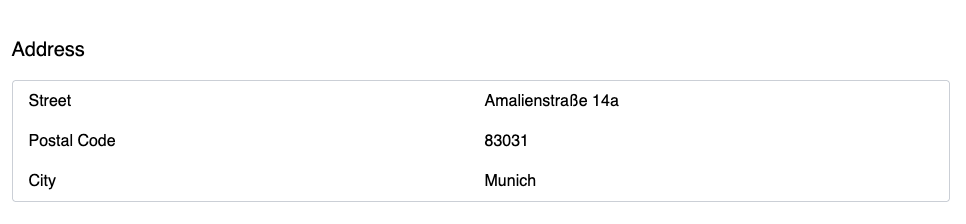
In Create and Update views a user will see all corresponding input controls and labels.
The default visibility values are as follows:
| Resource View | Default |
|---|---|
| Index | false |
| Create | visible |
| Update | visible |
| Details | visible |
You can change the visibility of the field for each view except the index page. A panel can't be displayed on an index page or any other list view.
Please note that fields should remain visible on Create pages if any of the fields inside are required by the entity model and if no default value is set.